
This post takes a look at Git cherry-pick. We’ll cherry pick a commit from one branch to another.
The Git cherry-pick documentation explains cherry picking as:
Apply changes introduced by some existing commits.
Given one or more existing commits, apply the change each one introduces, recording a new commit for each. This requires your working tree to be clean (no modifications from the HEAD commit).
1. Git cherry-pick
Lets start with a cherry pick. I have a branch called feature/my-feature in a repo called a-repo-for-testpurposes. In that branch I have two commits called the second change and the first change. I want to cherry pick the commit called the first change into master.
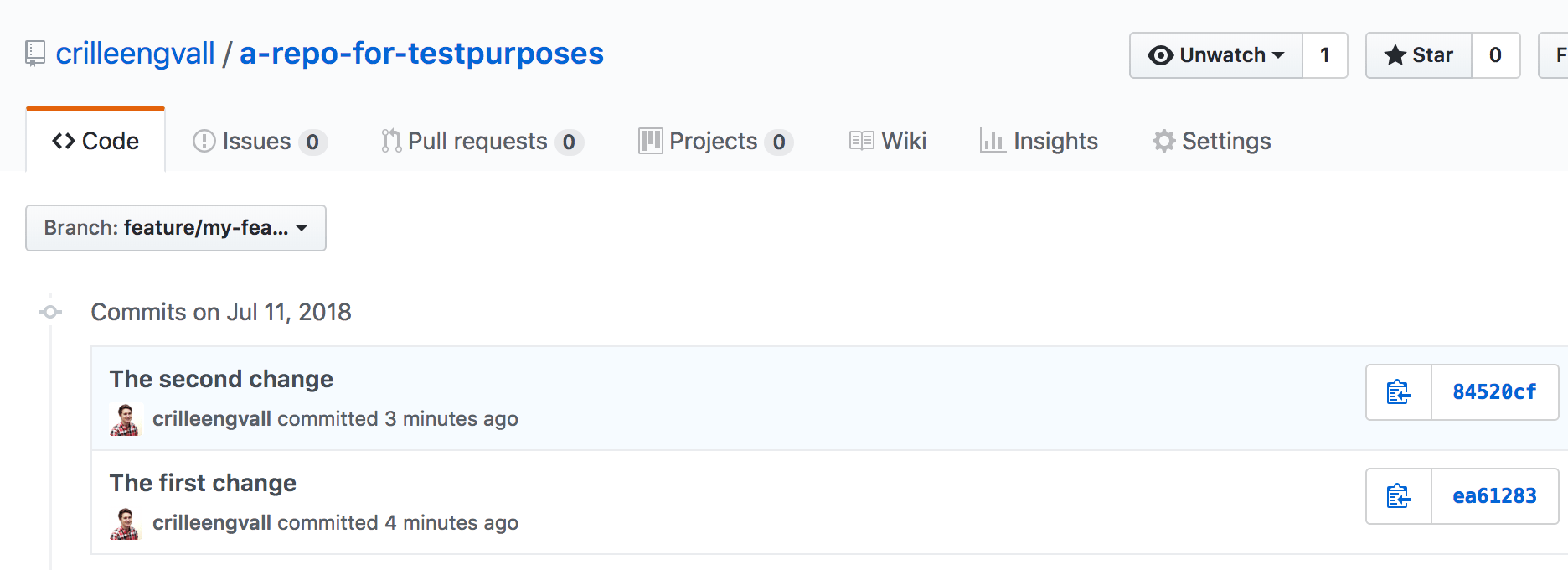
git cherry-pick - feature branch
The commit hash of the first change is ea6128347797b9c268d95257ef17cb6ac0baaaab (you can find it by using git log). I’ve checked out master and ready to cherry pick by using this command:
git cherry-pick -x ea6128347797b9c268d95257ef17cb6ac0baaaabBy providing -x we get a message appended to the commit that says this commit was cherry picked:
(cherry picked from commit ea61283)This creates a new commit with the changes from the cherry picked commit. If the changes introduced a merge conflict you must fix that first.
2. Merging the branch containing already cherry picked commits
Since the cherry pick above is a new commit, and not a merged commit from our feature-branch. We could get a conflict when merging the whole branch back to master. Which needs to be fixed before the merge can complete.
git checkout master
git merge feature/my-feature
Auto-merging code/my code.txt
CONFLICT (content): Merge conflict in code/my code.txt
Automatic merge failed; fix conflicts and then commit the result.