
When running git rebase you reapply commits on top of another base tip. Ok, nice what does that mean? The official git docs provides a good explanation of this.
If we have a feature branch called topic created from master at commit E. And if master has new commits before our branches can look like this:
      A---B---C topic
     /
D---E---F---G master
To rebase this branch with master we would use this command:
git rebase masterOur branches would then look like this:
              A'--B'--C' topic
             /
D---E---F---G master
Git rebase interactive
We can also use rebase to, for example, squash or fixup commits that that fits better into an already made commit. This would come in handy after a code review is done and there are changes that fit in other commits.
Say i have this line added to my new feature branch:
the first commit of this new featureAnd this line was commited with the message First commit of this new feature
After a code review a new line was added to that file, and a new commit was created
the first commit of this new feature
- This is a line that should have been in the first commit but was discovered missing in a code review
This commit got the message Fixing a code review.
To keep the branch nice and tidy you can squash or fixup these two commits into one.
when running:
git rebase -i masterI would get the following view in my terminal:
pick c7ffd6a First commit of this new feature
pick cfa6850 Fixing a code review
# Rebase cedc856..cfa6850 onto cedc856 (2 commands)
#
# Commands:
# p, pick = use commit
# r, reword = use commit, but edit the commit message
# e, edit = use commit, but stop for amending
# s, squash = use commit, but meld into previous commit
# f, fixup = like "squash", but discard this commit's log message
# x, exec = run command (the rest of the line) using shell
# d, drop = remove commit
#
# These lines can be re-ordered; they are executed from top to bottom.
#
# If you remove a line here THAT COMMIT WILL BE LOST.
#
# However, if you remove everything, the rebase will be aborted.
#
# Note that empty commits are commented out
When typing fixup before the code review commit and saving, the commit will meld into the previous commit.
pick c7ffd6a First commit of this new feature
fixup cfa6850 Fixing a code review
Do git rebase, sqash and fixups with a GUI
You do not need to do this in the terminal if you do not want to. You can use for example GitUp
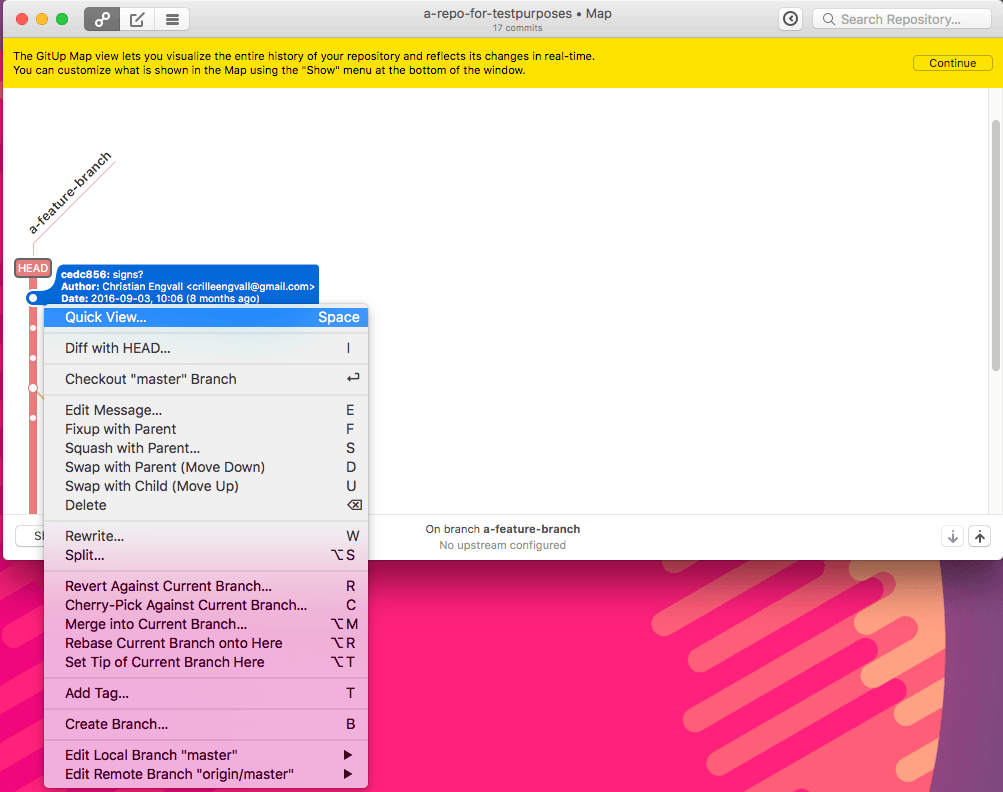
GitUp Squash and fixups
If you right-click on a commit you get a lot of options for example Fixup with Parent and Squash with parent. But you also have the oiption to Swap with parent (Move down) and Swap with Child (Move up) which you can use before squashing or fixuping if there are other commits between the ones you want to combine.
To complement GitUp you can use the GitHub desktop app to see what your commits contains and which ones should be melded together.
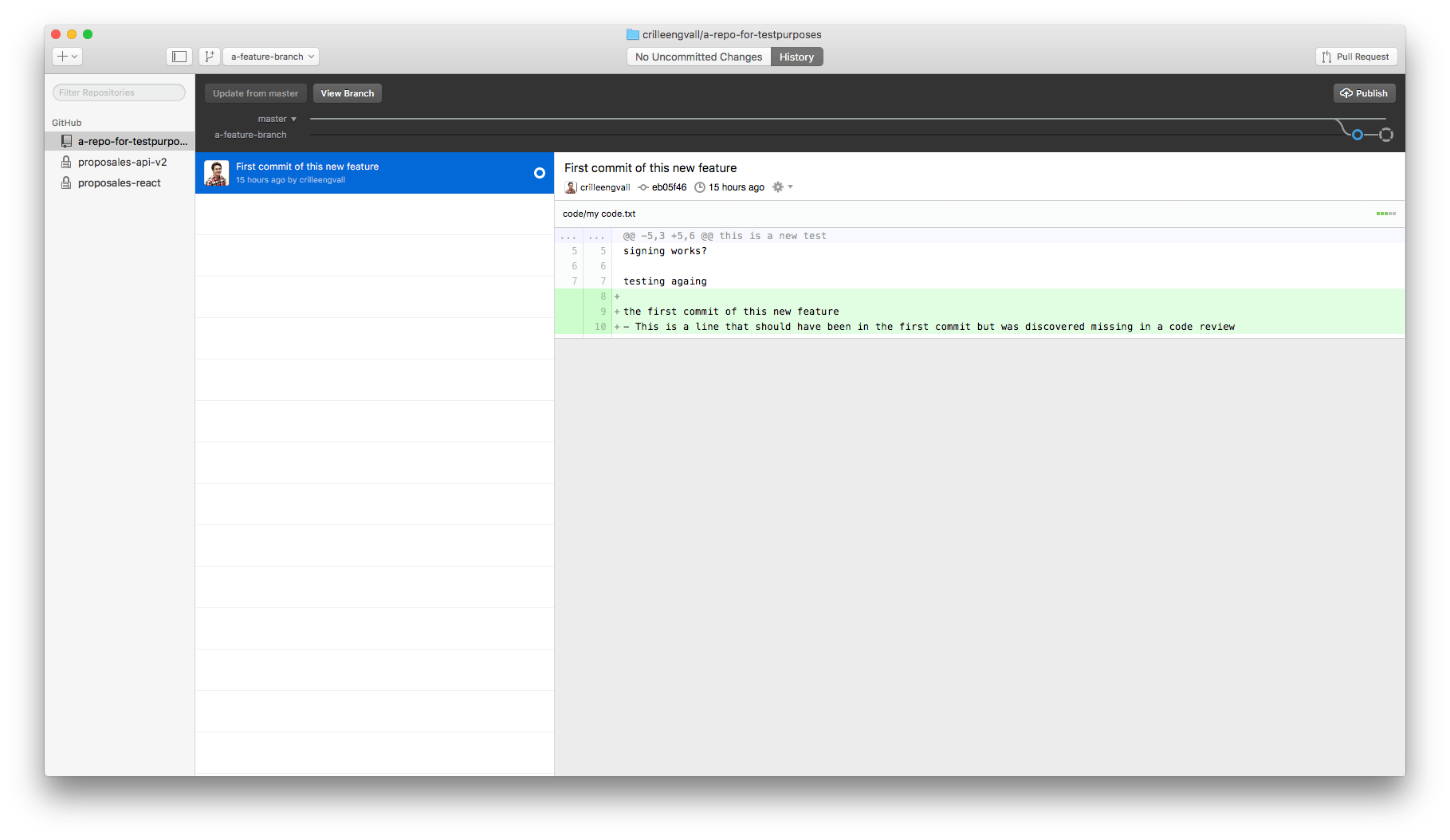
Github Desktop
push and pull after rebase
I work with github as an origin to this repo. To push the repo now when you have done a rebase you need to force the push:
git push origin a-feature-branch -fFor other users that now want to continue to work on this branch they now need to do a:
git reset --hard origin/a-feature-branch