
The criteria for which product that needs to be present in the cart needs to be created as a target group. Then we need to create a campaign using that target group. Lets have a look at how to set it up.
1. Creating the target group
Go to Customers -> Target groups and add a new target group.

Litium target groups
Then create a Has product in cart filter condition and select the product that must exist in the cart to make the campaign valid.
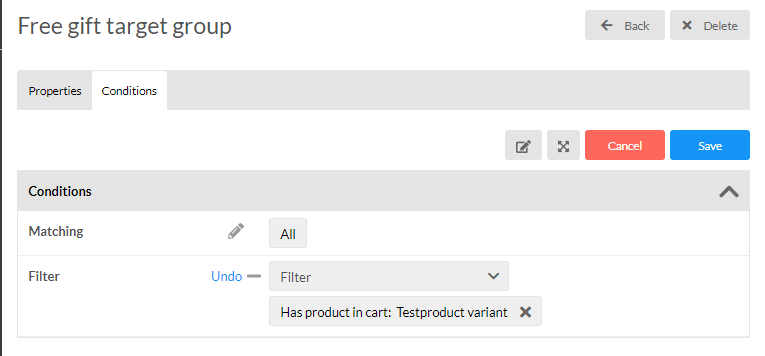
Litium target groups condition
2. Creating the campaign
Head over to Sales -> Campaigns. Pick a descriptive Name, select Markets and channels where the campaign should be active and then select a Start date and an End date before saving.
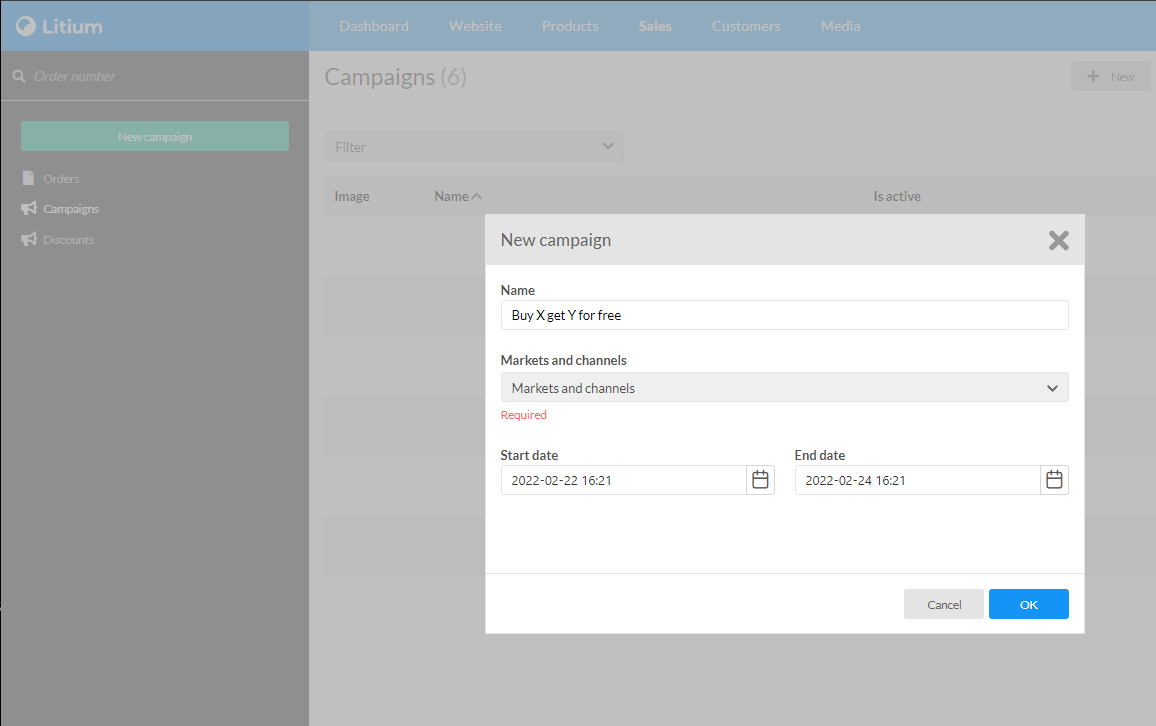
Litium campaign
3. Add the discount
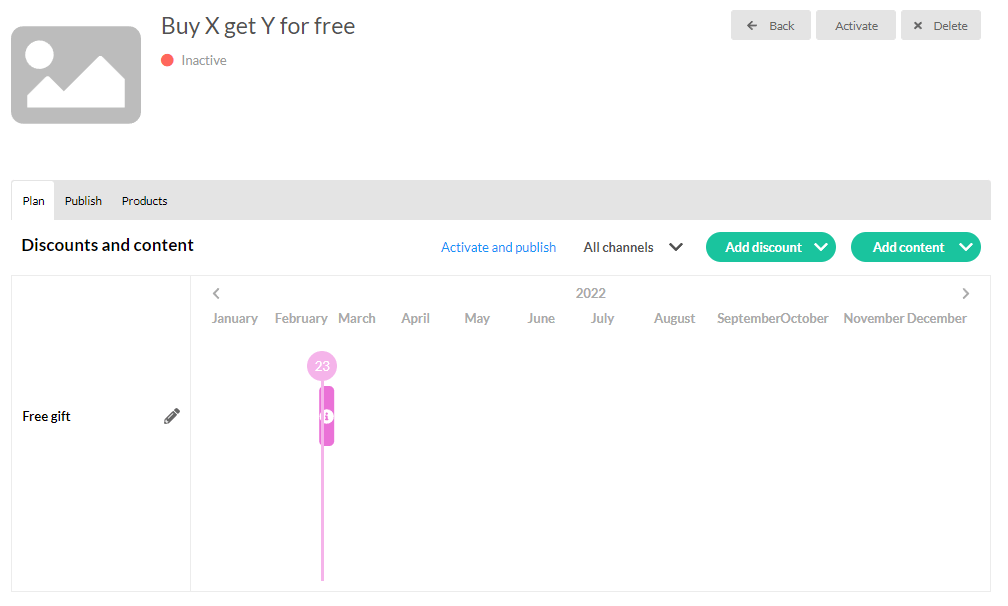
Click on the green Add discount button and select Free gift.
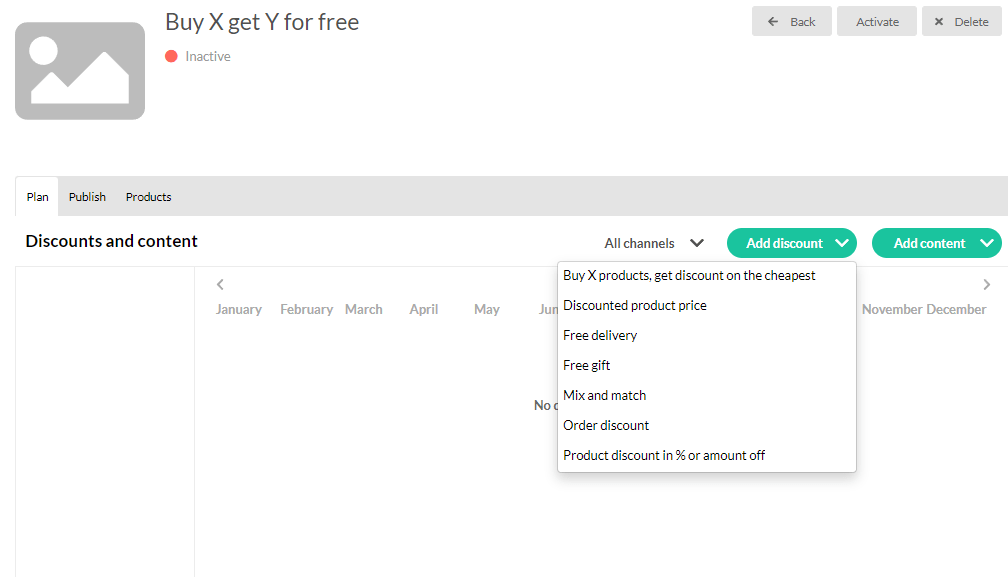
Add campaign discount
4. Setting target groups and selecting free product
In the modal that shows up you select our newly created target group in the field Target groups. Then in the field Free product you select the product you want to give away. Then click save.
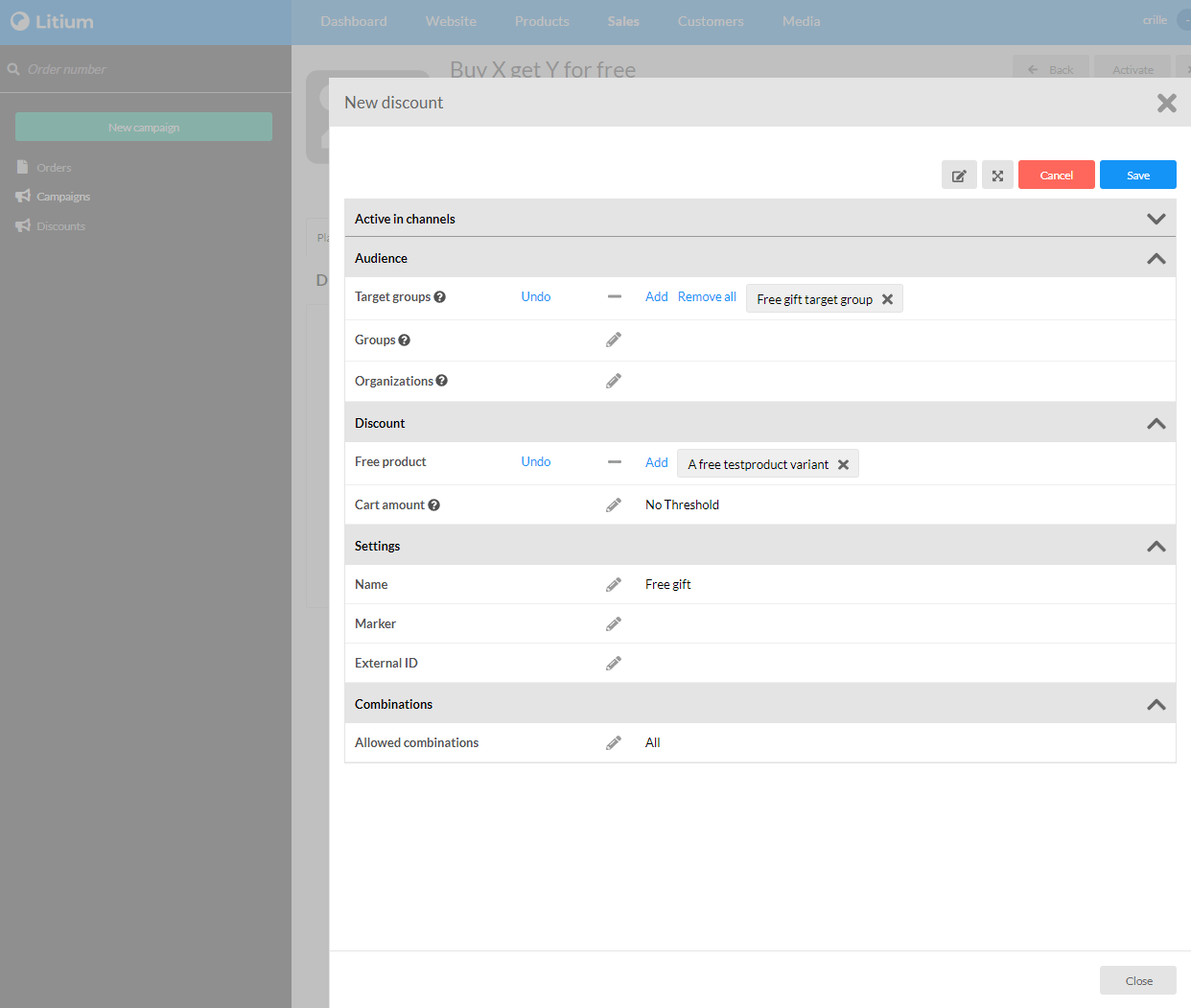
Add free gifts
5. Active the campaign
Don’t forget to activate the campaign in the top right corner. It’s easy to forget that step in the process.
Add free gifts