
I had a few piano songs recorded in Reason. But i wanted to copy the midi from Reason to Logic because that’s the software I use to record things now.
Last time I used Reason was when version 3 was released. So it was quite a long time ago. Could it have been around 2006? However… my first thought was to get hold of Reason 3 somehow and see if i could manually copy the midi tracks. Turns out that wasn’t needed at all.
Reason 9
Propellerhead has made Reason 9 available to use as a trial for 30 days. So i installed the trial version and tried to open my old recordings. And thankfully it worked well! Even if i used some plugins or instruments that didn’t exist in the new version i could still see that the song was there, but i couldn’t listen to it. If you get this window when opening your song you can just close it.
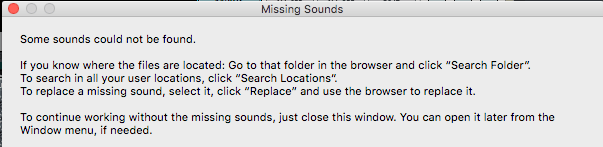
Missing sounds
Next click the File menu and select Export midi file… and save it where ever you like.
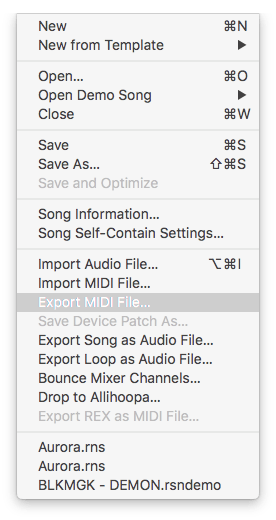
File export midi
Logic
Now open up a new project in Logic and go to File-> import -> Midi file and select the midi file you just exported from Reason.
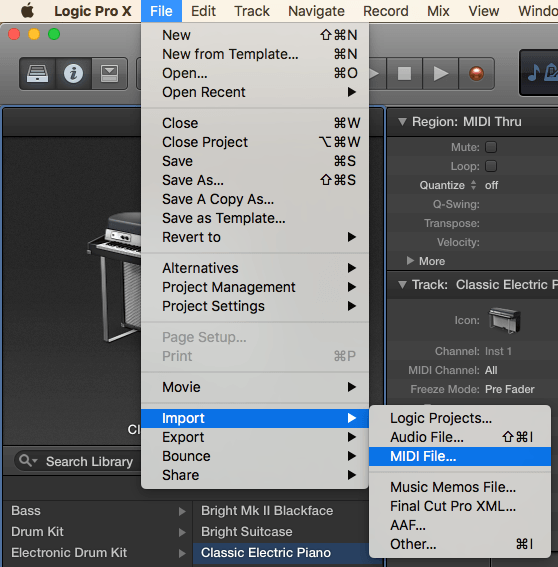
File import midi
Logic will add the tracks for you. You will get a question about the tempo of the song. i choose not to import the tempo. Not sure why though… i’m a developer… not a producer… don’t ask me those hard questions!
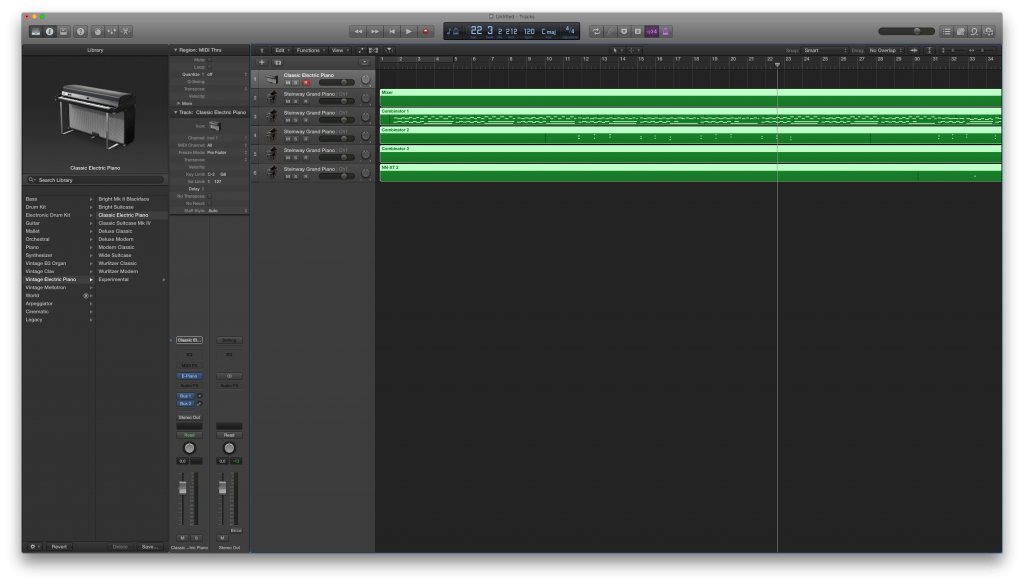
Logic