
“IMCE is an image/file uploader and browser that supports personal directories and quota.” - http://drupal.org/project/imce
This post describes how to use IMCE with CKEditor. If you haven’t installed CKEditor yet you can follow these steps.
1. Download and install
Download the IMCE module install it and activate it.
2. Enable filebrowser
Go to /admin/config/content/ckeditor/edit/Full and scroll down to FILE BROWSER SETTINGS and choose IMCE as the file browser type.
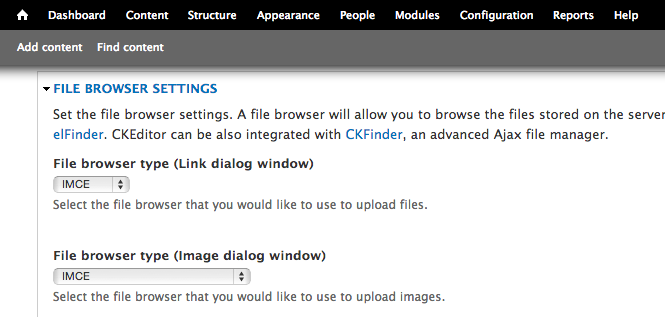
File browser settings
3. Create content
Now go to /admin/content and create a new node. Make sure text format is set to Full HTML then click on the image icon and the button on the right to URL. My button says Bläddra på server since my installation uses swedish.
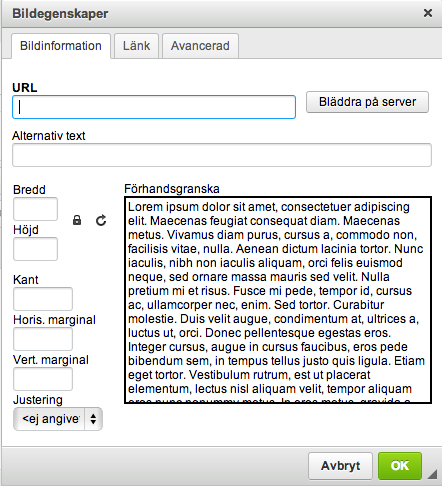
Image properties
4. Add image
Now the IMCE-window will appear and you can upload, delete, resize and insert file/image to your content.
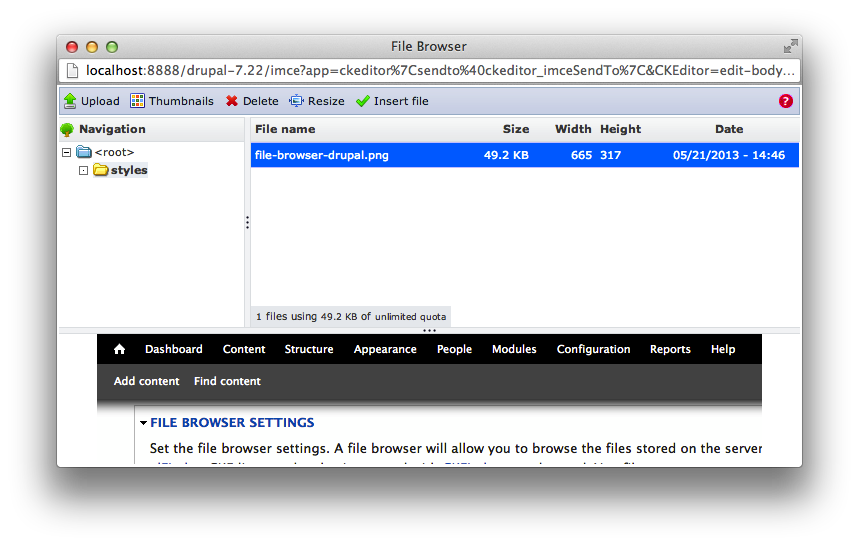
IMCE Window