This post will cover how to fix the electron white screen app startup. If you start the electron tutorial app you can see it flashes white and then loads the css setting the correct color. The electron API currently allows two ways of fixing this.
This is what the the tutorial app looks like when it starts before applying this fix.
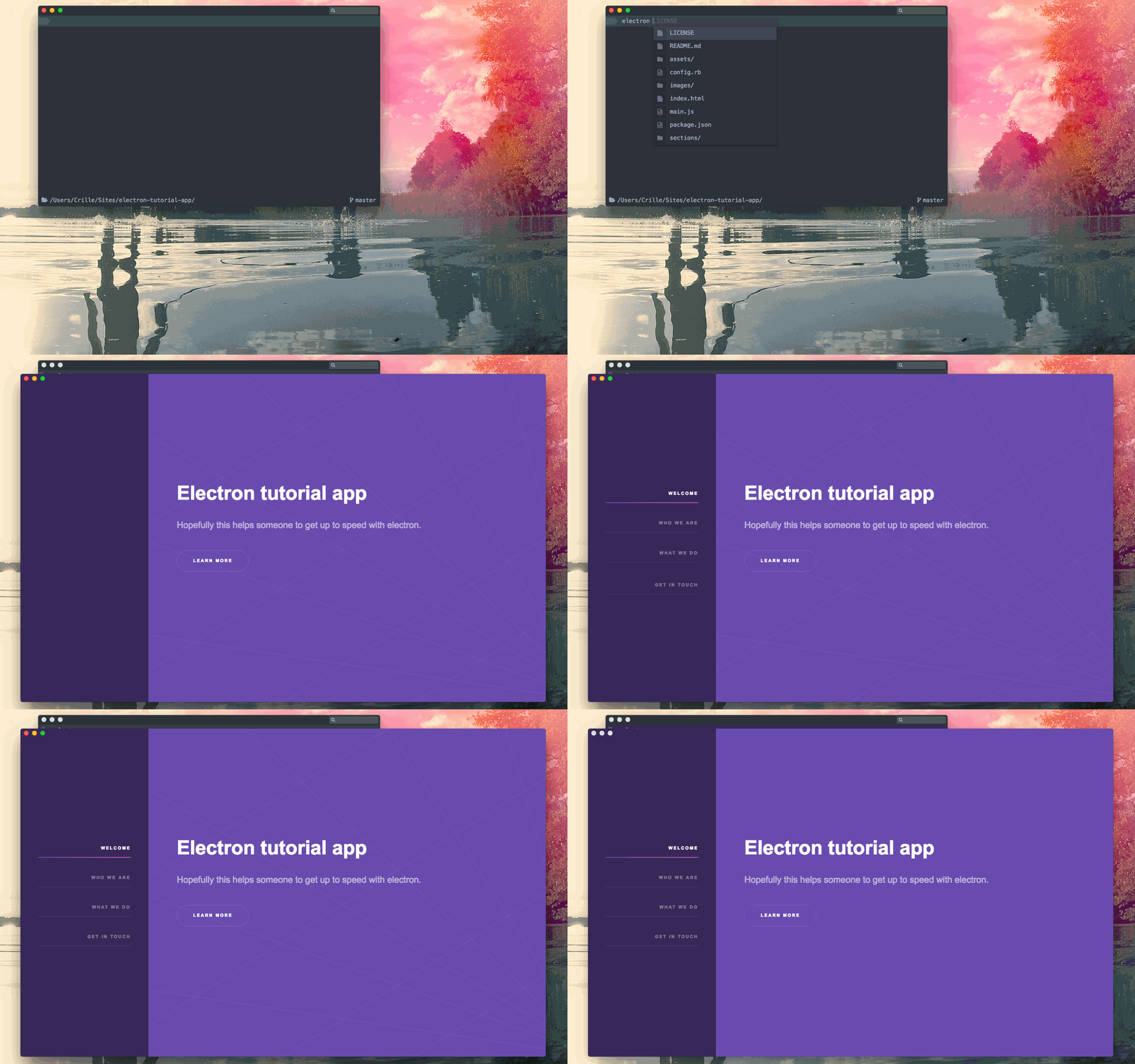
Electron - flashing white on startup
Setting backgroundColor
One way is to let the app flash before load, but setting the white color to something else. In this case it would be #312450. This is a setting on the BrowserWindow and in our tutorial app we set it on line 13 in main.js.
 mainWindow = new BrowserWindow({titleBarStyle: 'hidden',
     width: 1281,
     height: 800,
     minWidth: 1281,
     minHeight: 800,
     backgroundColor: '#312450'
 })
If this works well with your app this is a good alternative because it will appear to load your app faster than the other one we will look at now. If your app has more than one background color, like the tutorial app does (the menu background and the main container background), setting the startup background color is not enough. But this is a matter of taste, there is no right or wrong. This is what the official docs say:
"Note that even for apps that use ready-to-show event, it is still recommended to set backgroundColor to make app feel more native."
ready-to-show event
This technique waits for the event ready-to-show to fire. When that happens we take care of showing the window. But before doing that we need to tell the mainWindow to not show when we init a new BrowserWindow.
 mainWindow = new BrowserWindow({titleBarStyle: 'hidden',
     width: 1281,
     height: 800,
     minWidth: 1281,
     minHeight: 800,
     backgroundColor: '#312450',
     show: false
 })
Now we need to tell it to show on the ready-to-show event. Put these lines in the function createWindow in main.js.
 mainWindow.once('ready-to-show', () => {
     mainWindow.show()
 })
Now the app looks like this when starting
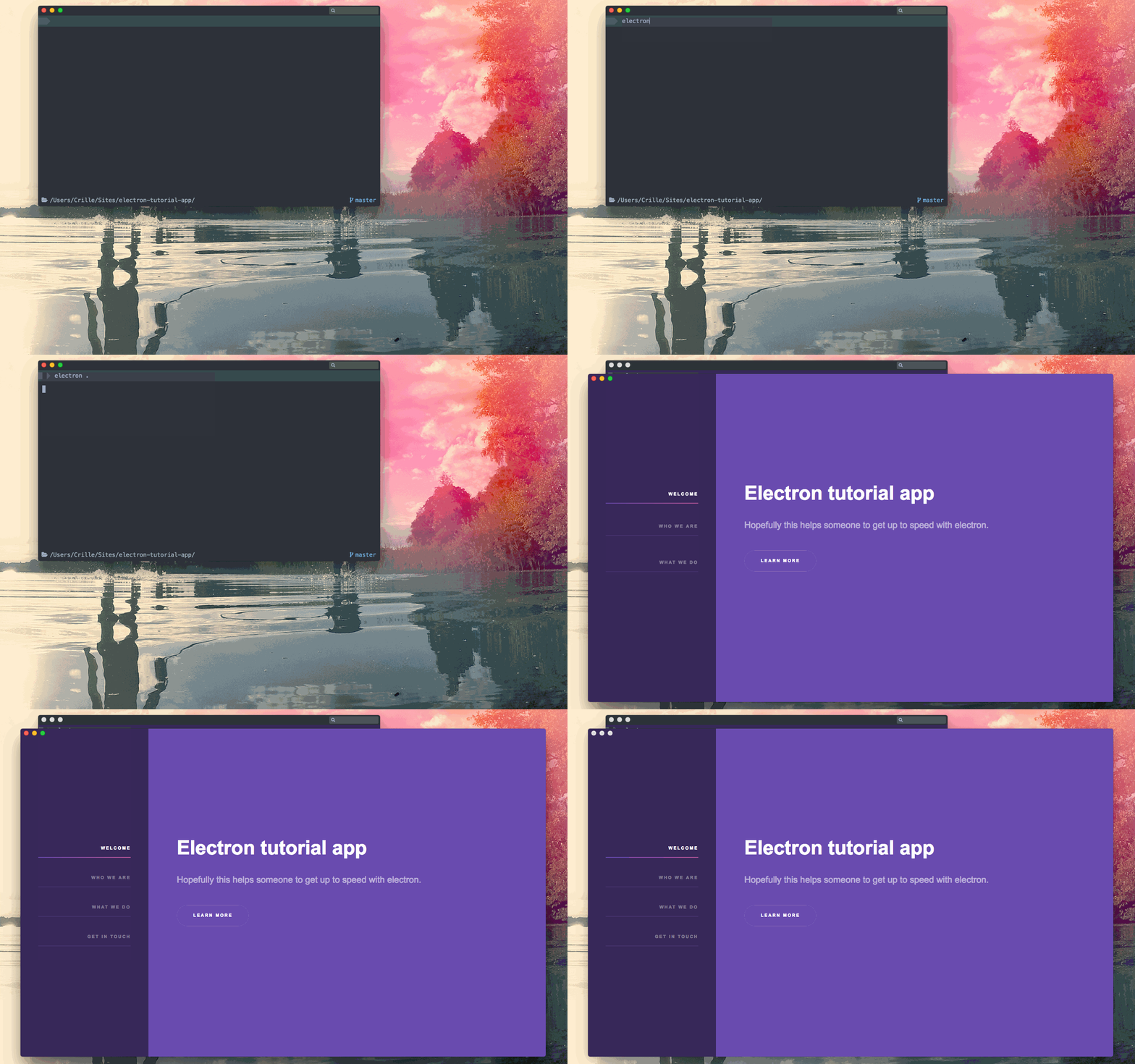
electron - using ready-to-show event
You can read more about this in the official docs
Next tutorial is about Electron app icons.